|
|
The ABC Study Guide, University education in plain English alphabetically indexed. Click here to go to the main index, or the ABC image for the cover |
|
|
Computer Hardware[This page created between August 2000 and October 2003. Not amended between 2003 and 2014. Amendments since in square brackets] |
|||
The parts you see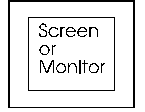
The screen will often show you what to do and it will show you the information you are working on.
|
Inside the Computer Box
Cental Processing Unit
On the Computer Box: switches and slots
Print - Printers - Printing
|
|
The Computer Box
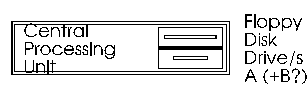
The computer itself is a box (case) with the works in. This can be flat, like the one in the drawing, or upright (a tower case). As the main content is a processor, the computer box is usually called the Processor [See dictionary]. The slot/s (and drawer) in the box are to insert removable disks to put in information. The disks include floppy disks (into a slot) and compact disks (into a drawer). Other hardware parts (called peripherals are connected to the computer box by cables that are plugged into ports at the back. |
||
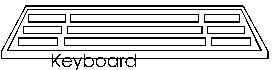
The keyboard is used to type information into the computer and to give keyboard commands. Commands can often be given by the keyboard or by the mouse. |
||

The mouse is for selecting from the screen. | ||
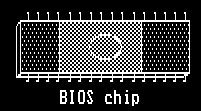
MotherboardThe Motherboard is the largest board inside the PC. It has the main collection of chips on the computer. It holds all the chips, and therefore provides all the functions, that are considered standard for that class of PC. This include the CPU: Central Processing Unit.RAM (Memory) and adaptor cards (which provide other functions) are fitted onto the Motherboard. BIOS: Basic Input/Output System. Usually refers to programs permanently in a chip (a read-only memory or ROM) fitted to the PC. MS-DOS and applications can use them to perform basic input and output operations like screen printing.
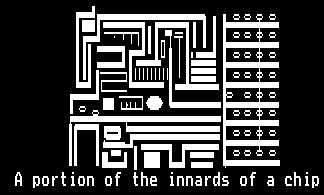
Chips are also called Integrated Circuits. A
chip
is a tiny
piece of silicon (the substance sand is made of) with an electronic circuit
and components embedded into it. The chips are what makes the computer
work. It was the ability to put complicated electronic circuits onto a
flake of silicon that made personal computers possible.
|
Inside or outside the Computer BoxExtras Whilst all Personal Computers will have a processor, disks, a screen and a keyboard (and most have a mouse), there are parts that are not so essential. Some of these extras may be inside the computer box (internal) or outside it (external). They can usually be added to a computer if not already there.A CD-ROM drive to read compact disks of information (like an Encyclopedia), music, stores of pictures, or film. It is an essential on new computers because most computer software is now on CD-ROMs. Using appropriate software, the CD-ROM drive can also read music CDs. To play music it needs a sound card and speakers. CD-ROM stands for Compact Disk Read Only Memory
A modem allows you to link your
computer to the telephone system. It is a machine that
converts computer signals, which are in codes of "on
and off" (digital), into the signals that telephone wires
traditionally carry, which are in waves (analogue).
|
Outside the Computer BoxSome hardware parts (called peripherals) are connected to the computer box by cables that are plugged into ports at the back of the processor box. As well as the keyboard, mouse and screen, peripherals usually includeA printer to produce a hard copy (printed version) of a document. The three main types of printer that can be used with a computer are
There may also be: A scanner copies pictures into the computer. It may also be able to read printed words into the computer. There are hand-held scanners that you pull across the surface of the paper, but most are flat-bed scanners where you put the paper on a glass sheet to be copied, as you do with a photo-copier. loudspeakers to make noise. |
CablesCables enter the main computer box (processor box) and peripherals from the back.Some cables are power cables and just carry electricity. Power cables tend to be the same and can be used interchangeably. One end has a plug that connects to the power supply. The other end has a three pin plug that goes into the computer or peripheral. Other cables carry signals (messages). The signal cables into the back of the computer box link into cards with electronic parts that control different functions. There are two main kinds of signal cable. Serial cables carry messages an item at a time in a single stream. Parallel cables have sets of parallel wires inside them and carry several streams of messages at once. The messages from the mouse and keyboard travel along a serial cable. The messages from the computer to the printer travel along parallel cables. |
|
 Study
links outside this site Study
links outside this site
 Andrew Roberts' web Study Guide
Picture introduction to this site
Top of
Page Andrew Roberts' web Study Guide
Picture introduction to this site
Top of
Page
 Take a Break - Read a Poem
 Click coloured words to go where you want Click coloured words to go where you want
Andrew Roberts likes to hear from users: |
© Andrew Roberts and the people whose graphics I used or adapted. The bios and chip illustration are from an old edition of What's in that Box?"